HedgerPro User Guide
Navigation

The Pro App has 5 main tabs: CARDS, RESEARCH, PORTFOLIO, and BETS – plus FOLLOWING when system publisher has added you to their published group(s).
This page is your map. Each section gives a short overview – full how-to detail lives on the linked Pro App and Other Pages.
| Tab | Purpose | Detail page |
|---|---|---|
| CARDS | Race cards, project shortlists, qualifiers, bet slip | Cards → |
| RESEARCH | Build projects, filters, charts, research search | Research → |
| PORTFOLIO | Combined P&L, stakes, auto bet toggles | Portfolio → |
| FOLLOWING | Published groups you have been invited to (tab hidden until then) | Following → |
| BETS | Bet history, scheduled bets, export | Bets → |
Cards
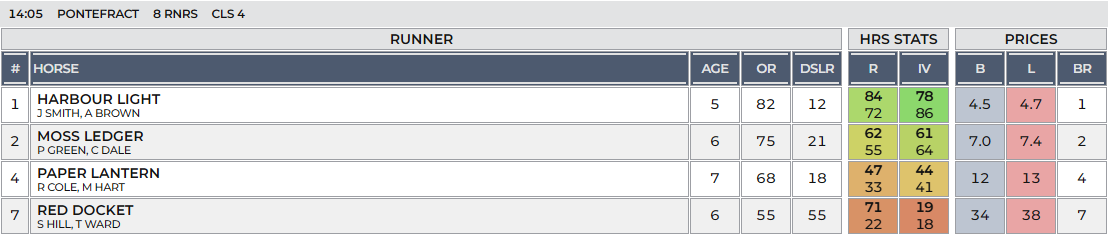
The Cards tab shows todays runners and riders with stats, prices, results.
All the data that drives the research system can be seen here per race and runner.
Project shortlists can also be viewed in one combined list or split by race.
Research
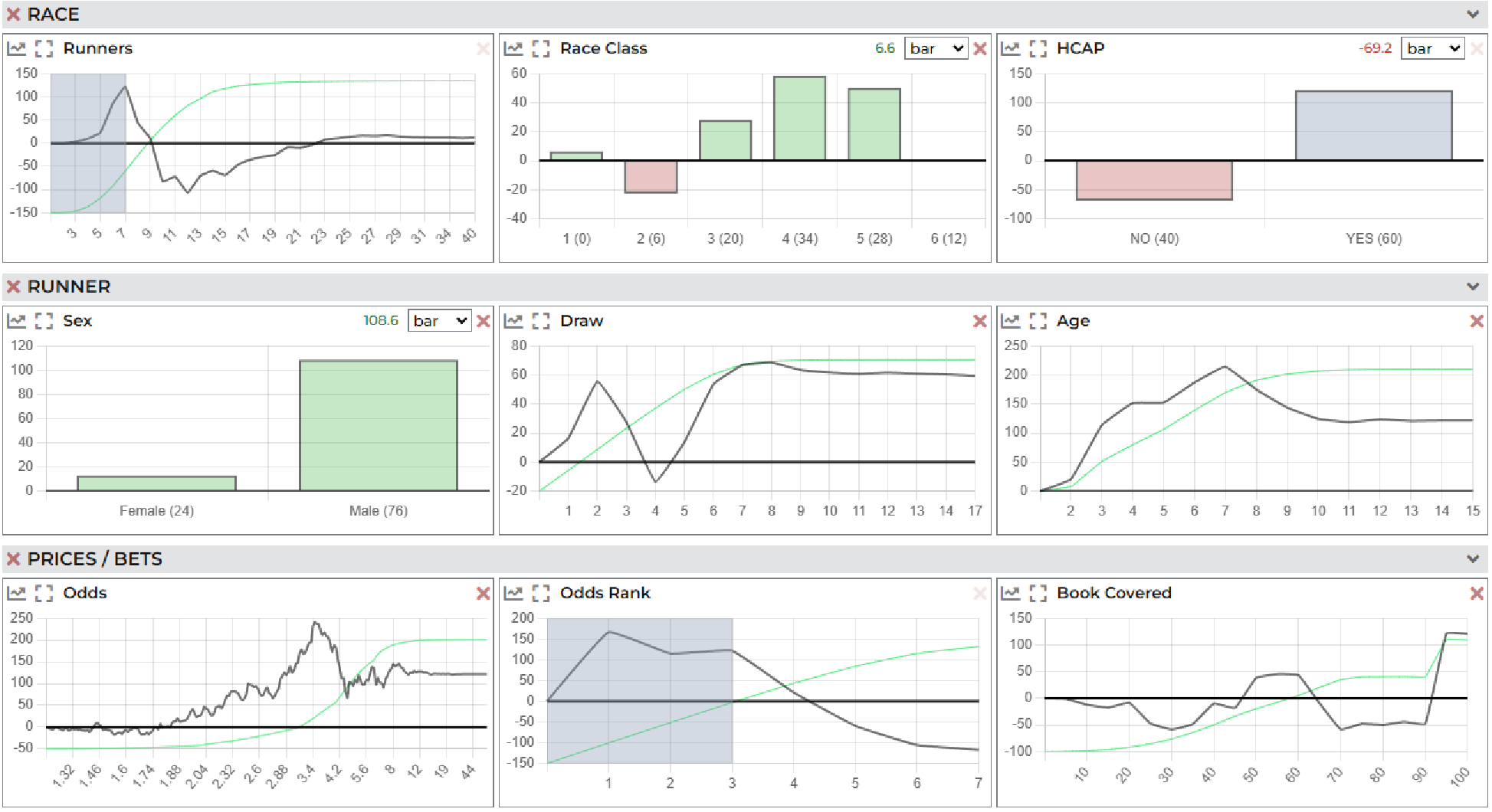
The Research tab is where you build and refine projects and systems — each project can hold multiple child systems with their own filters.
Research is carried out mainly in graphical way with multiple line charts, bar charts and tables all in one single view.
Portfolio
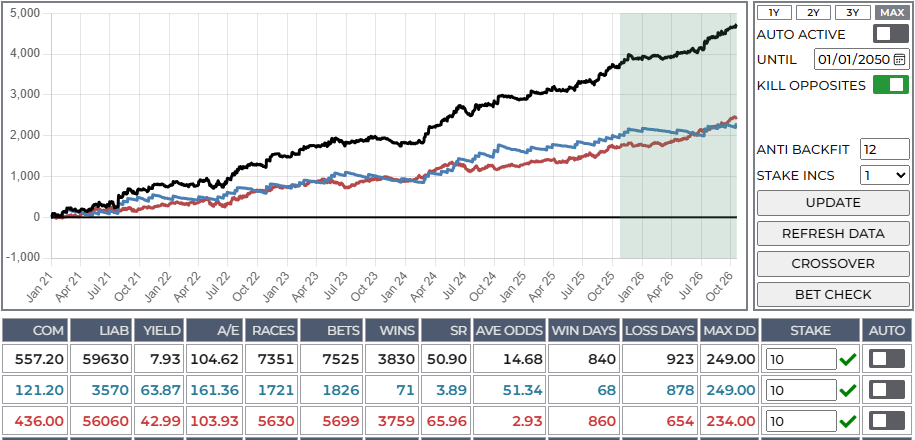
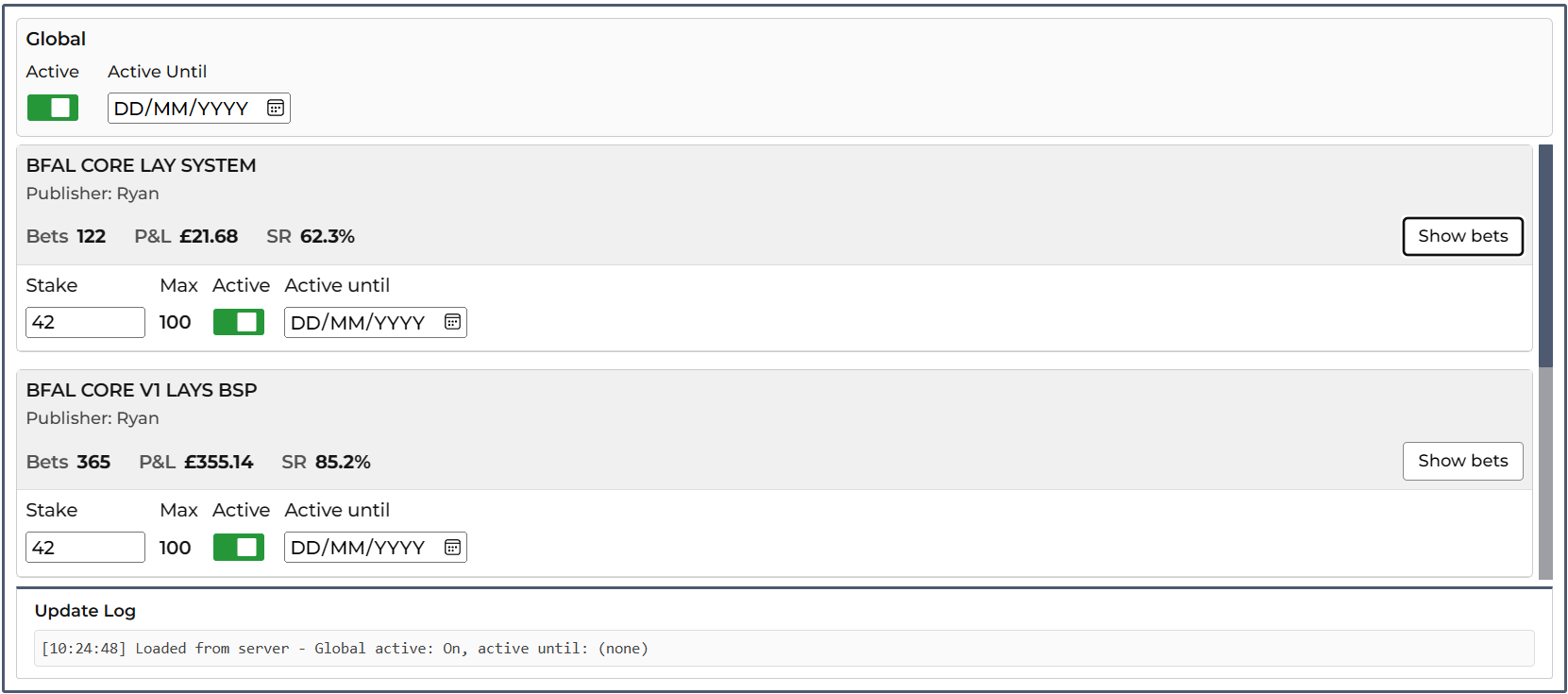
Combine projects with stakes (points) and optional auto betting. Per-project P&L charts, combined back/lay view, and the ANALYSIS dialog for multi-project stats.
Following
The FOLLOWING tab appears only when a projects publisher has added your account to a published group. This includes managed account options – contact us for more information if this is interest to you.
View shared systems, set stakes, and open group bet history.
Bets
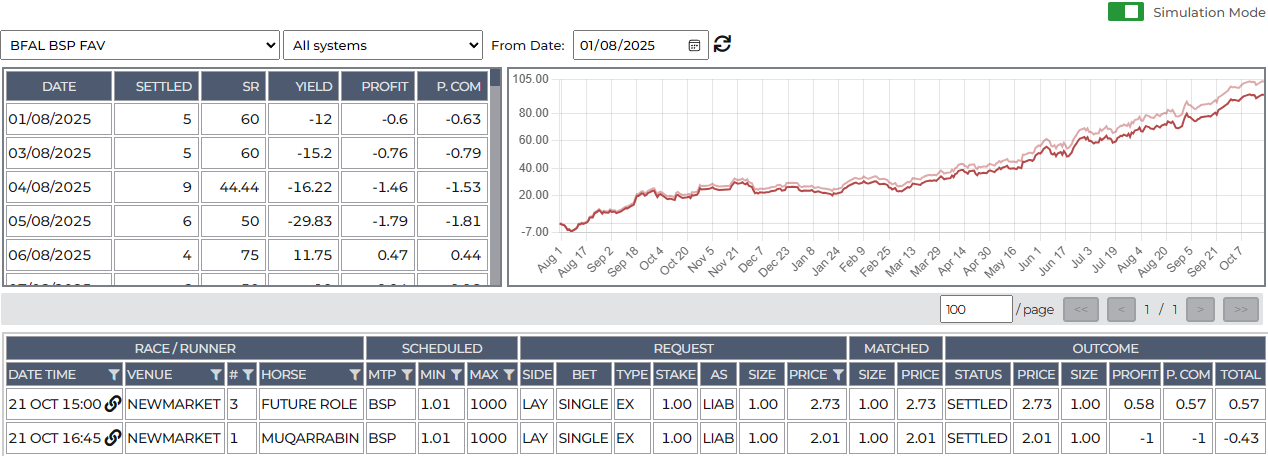
The bets tab shows live (ordered or scheduled) and simulation mode bets – as shown here.
Bets are order either via the automation system via the portfolio tab or the bet slip from the runners grid on the Cards tab.
It includes period summaries, detailed bet grid, CSV export, simulation mode, and archive tools.